
Estimates
Give a customer an initial cost while the scope is still taking shape.
Before everything is agreed
Initial pricing →
Create invoices, quotes and estimates without rebuilding information BrainCenta already knows. Keep customer details, company information and commercial context connected from preparation through to payment.
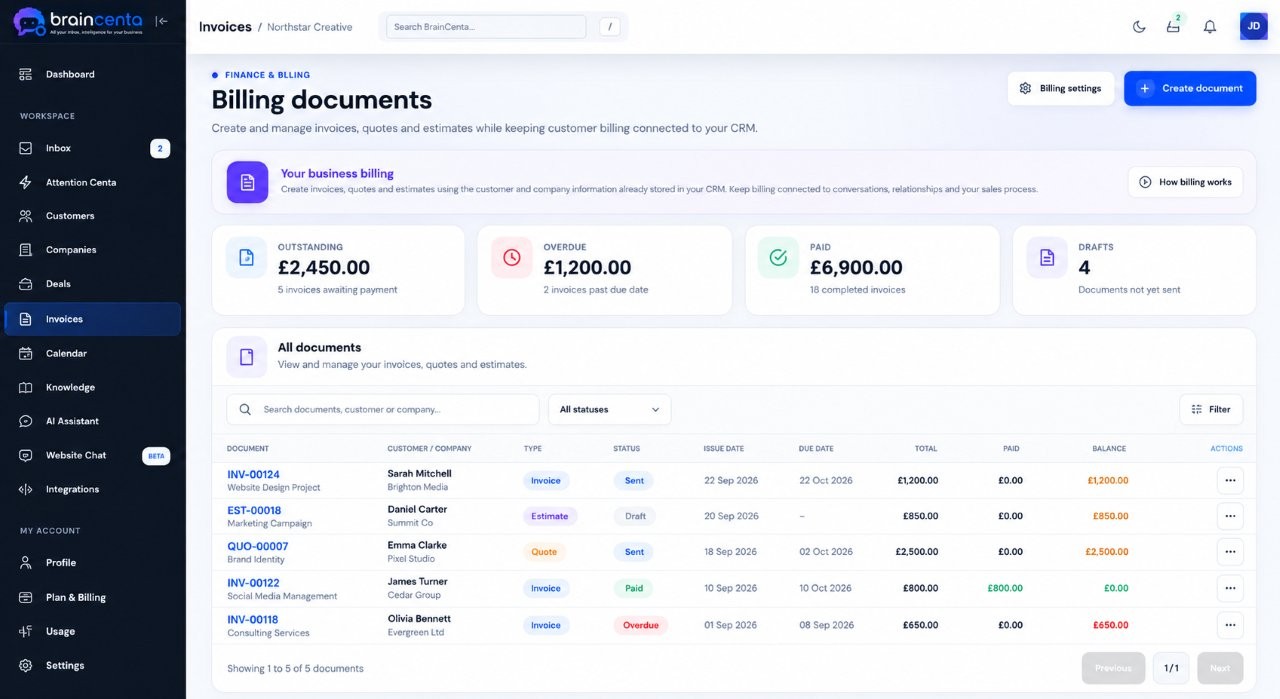
Price an early idea, put an agreed offer in writing or bill for the work. Keep each document close to the people and company behind it.
Give a customer an initial cost while the scope is still taking shape.
Send a clear, customer-facing offer when the requirements are better defined.
Create the final billing document, email it to the customer and keep its status in view.
Choose an existing customer or company when you prepare a document. Keep the invoice, quote or estimate linked to the relationship it belongs to, with less information to piece together again.
Sample details used to show how a billing document stays with a customer relationship.
Add your business details, logo and preferred colours. Prepare line items, review the totals and generate a PDF that is ready to share with your customer.
Illustrative document with fictional names and figures.
The practical steps after creating an invoice are just as important as the document itself.
Choose the customer, add line items and make sure the details are right.
Email the completed document to your customer with the PDF attached.
Keep draft and sent documents visible in the same workspace.
Record payment when it is received so the invoice status stays current.
When a customer is ready to go ahead, convert an existing quote or estimate into an invoice and review the billing details before sending it.
Set the business details and appearance your customers should see, then use those settings across your invoices, quotes and estimates.
Add the identity and contact details that belong on your documents.
Choose your colours and a clean or boxed document style.
Set a prefix and starting number for your documents.
Review the recipient, subject and message when you share a PDF.
Yes. BrainCenta supports all three document types in the same business workspace.
Yes. Convert the document into an invoice draft, then review its details before sending it.
Yes. You can email a completed document to a customer with its PDF attached.
Invoice statuses help you track billing. When payment arrives through your usual method, you can mark the invoice as paid in BrainCenta.
Create quotes, estimates and invoices with the customer relationship in view, then send and manage them in one workspace.